> For the complete documentation index, see [llms.txt](https://help.tellius.com/llms.txt). Markdown versions of documentation pages are available by appending `.md` to page URLs; this page is available as [Markdown](https://help.tellius.com/settings/my-profile-1.md).
# My Profile
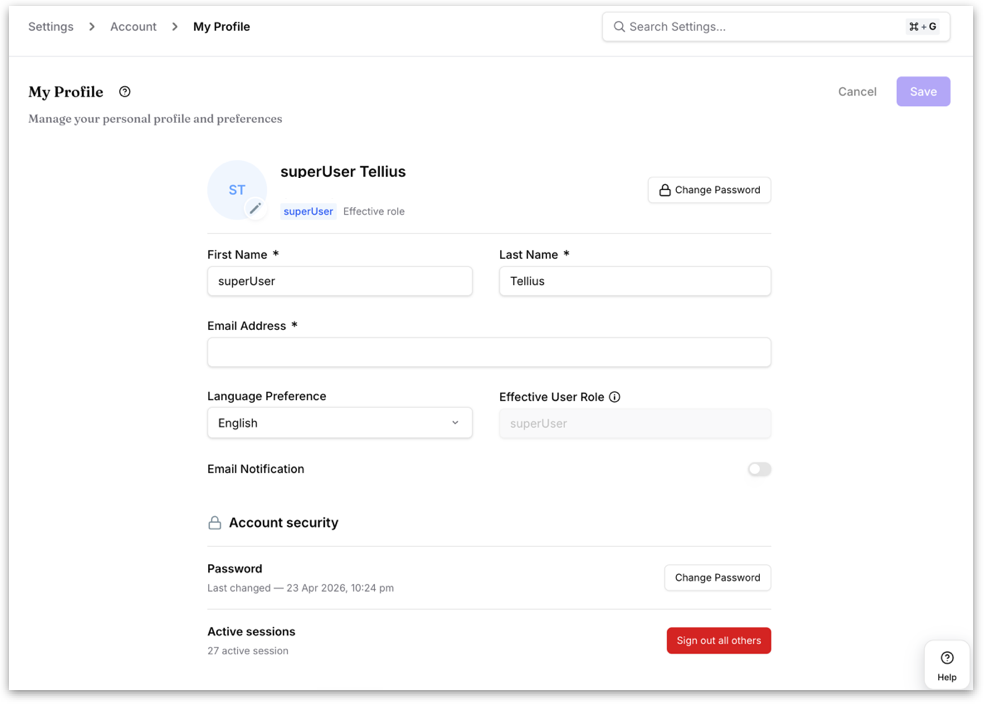
**My Profile** is where you manage the personal details that identify you in Tellius, control how the interface looks for you, and keep your account secure. After making changes, click **Save** to apply them or **Cancel** to discard them.
#### Profile details
**Profile picture:** Click the avatar to upload or change your photo. It appears next to your name across Tellius.
**First Name / Last Name:** Your name as it appears throughout the product, including on content you create. Both are required.
**Email Address:** Your primary identifier. It's used to sign in, to reset your password, and to receive Tellius notifications. Required.
**Language Preference:** Sets the language of your interface. Choose from English, Spanish, German, Portuguese, or French; menus and labels update to match your choice.
**Effective User Role:** A read-only field showing the role that actually governs what you can see and do. If you belong to one or more groups, Tellius grants you the highest level of access among your own assigned role and your groups' roles, and that combined result is what appears here.
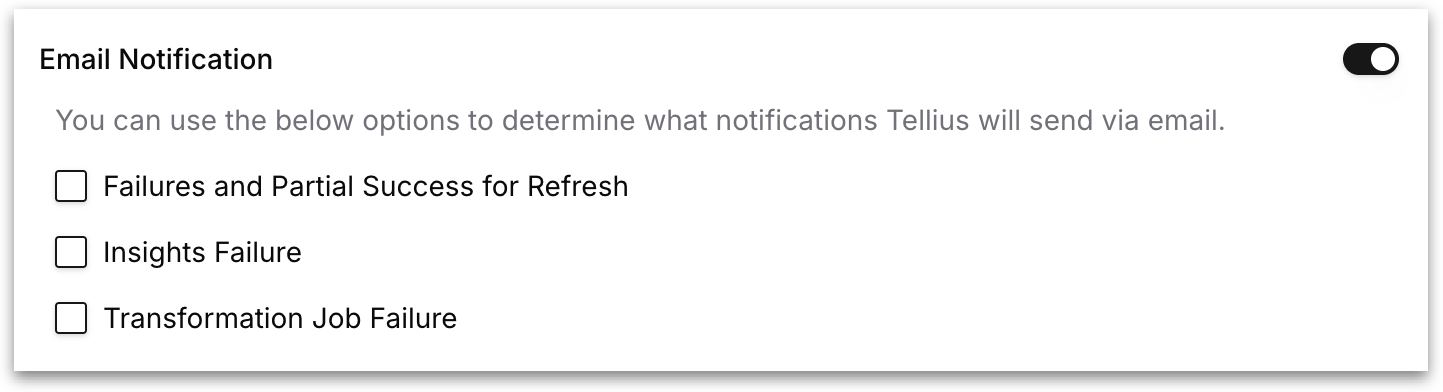
**Email Notification:** Turn this on to receive automated emails from Tellius. When it's on, you can choose exactly which alerts you want:
* **Failures and Partial Success for Refresh:** Notifies you when a scheduled dataset refresh fails, or finishes but with some rows in error.
* **Insights Failure:** Notifies you when an automated Insight job, such as anomaly detection, can't complete.
* **Transformation Job Failure:** Notifies you when a data transformation job runs into an error.
When the toggle is off, Tellius still records these events but won't email you about them.
#### Account security
**Password:** Shows the date your password was last changed, so you can tell when it's due for an update.
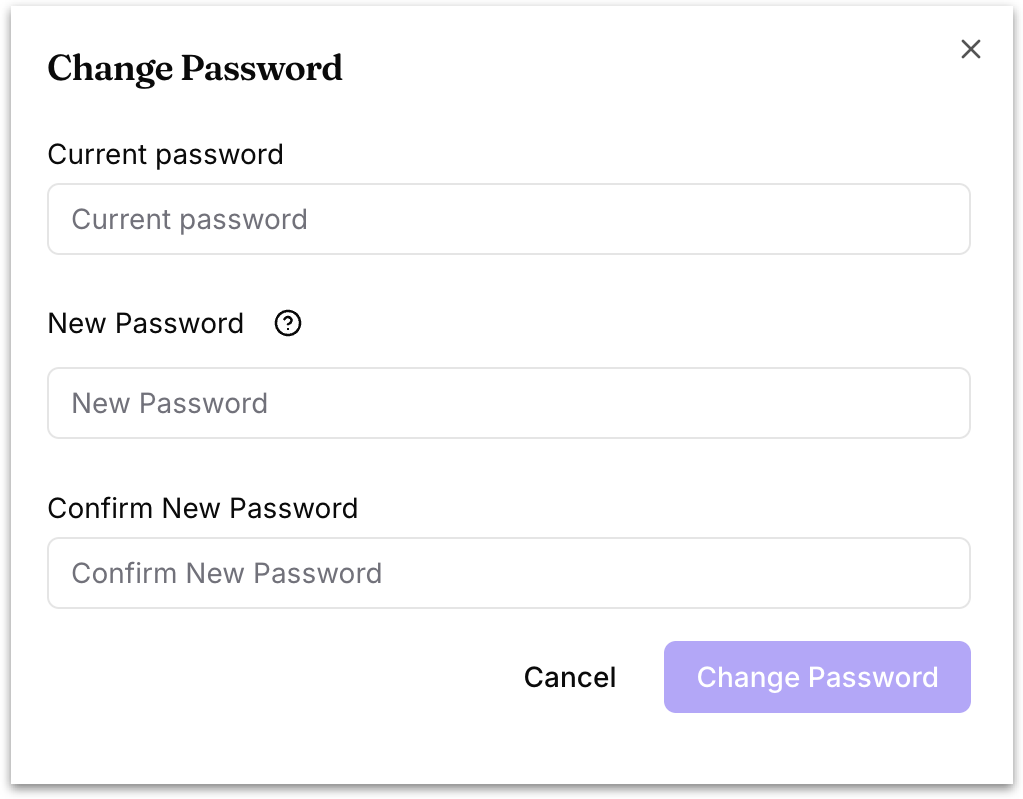
Click **Change Password** to update it: confirm your current password, then enter and re-enter a new one. Your new password must be at least 8 characters and include an uppercase letter, a number, and a special character.
**Active sessions:** Shows how many sessions are currently signed in to your account. Click **Sign out all others** to end every session except the one you're using now.
---
# Agent Instructions
This documentation is published with GitBook. GitBook is the documentation platform designed so that both humans and AI agents can read, navigate, and reason over technical content effectively. Learn more at gitbook.com.
## Querying This Documentation
If you need additional information that is not directly available in this page, you can query the documentation by asking a question.
Perform an HTTP GET request on the following URL with the `ask` and `goal` query parameters:
```
GET https://help.tellius.com/settings/my-profile-1.md?ask=&goal=
```
`ask` is the immediate question: it should be specific, self-contained, and written in natural language.
`goal` is what the user is ultimately trying to achieve, the reason they need the answer. Sharing it helps GitBook give you a better, more relevant answer. A goal is most helpful when it describes the outcome the user wants rather than restating the question. For example, with `ask=how do I create an API token`, a goal like `automate deployments from our CI pipeline` lets GitBook tailor the answer to that use case.
The response will contain a direct answer to the question and relevant excerpts and sources from the documentation.
Use this mechanism when the answer is not explicitly present in the current page, you need clarification or additional context, or you want to retrieve related documentation sections.