> For the complete documentation index, see [llms.txt](https://help.tellius.com/llms.txt). Markdown versions of documentation pages are available by appending `.md` to page URLs; this page is available as [Markdown](https://help.tellius.com/tellius-5.4/getting-started/quick-start-guides/search.md).
# Search
Get to know what Search does in Tellius
**Search** offers a smart, Google-like interface that enables users to ask ad-hoc questions and effortlessly drill down to the granular details. Prioritizing user convenience and efficiency, Search eliminates the need for navigating through pre-established dashboards or generating SQL scripts to access data.
### Understanding keywords
In your search queries, incorporate the following keywords as required to gain an in-depth analysis of your data.
1. **For filtering data: 'FOR' and 'IN'**
* 'FOR': "Show me sales for 2022"
* 'IN': "Show me sales in Canada"
2. **For grouping data: 'BY'**
* 'BY': "Show me sales by product category"
3. **For comparing datasets or values: 'COMPARED TO' or 'VS'**
* 'COMPARED TO': "Show me Q1 sales compared to Q2 sales"
* 'VS': "Show me sales of Product A vs Product B"
4. **For analyzing trends: Specify a date**
* Specify a date: "Show me sales trend since January 2023"
5. **For analyzing time series: 'BY MONTH' or 'BY WEEK'**
* 'BY MONTH': "Show me sales by month for 2022"
* 'BY WEEK': "Show me weekly revenue for Q1 of 2023"
6. **For analyzing differences or variations: 'GROWTH' and 'CHANGE'**
* 'GROWTH': "Show me growth in sales from 2022 to 2023"
* 'CHANGE': "Show me the change in profit from Q1 to Q2 of 2023"
**Commonly used keywords and their applications**
* **avg (Average)**
To get the average value, such as average sales, use 'avg'. Example: `What are the avg sales?`
* **total**
For summation, use 'total'. Example: `Show me total sales in the US`
* **min (Minimum)**
To find the smallest value, use 'min'. Example: `What are the min sales in 2022?`
* **max (Maximum)**
To determine the highest value, use 'max'. Example: `What is the max sales in June 2023?`
* **growth**
For monthly growth analysis, use 'growth'. Example: `Monthly growth of sales last year`
* **market share**
For market share analysis, use 'market share'. Example: `Market share of dollar sales for BrandABC`
* **unique count**
To count distinct items, use 'unique count'. Example: `Unique count of returning_customers`
* **percentage change**
To find the percentage change in sales between two periods, phrase your query as follows: `Percentage change of sales for this year vs last year`
* **absolute change**
To determine the absolute change in sales between two periods, phrase it as: `Absolute change of sales for 2020 vs 2021`
* **top/bottom N**
To filter by top or bottom performers, use 'top/bottom N'. Example: `Show me top 5 products in sales by retailer`
* **contains**
To search for a specific substring in your data, use 'contains'. Example: `Show me sales for brand contains "fit"`
* **after/before**
To filter data after or before a certain date, use 'after/before'. Example: `Show me sales after March 2020`
* **between**
To filter data between two specific dates, use 'between'. Example: `Sales between March 2020 and March 2021`
* **trend**
These queries help track changes over time or identify patterns within your data. Example: `Show trend of monthly sales for New York vs Los Angeles.`
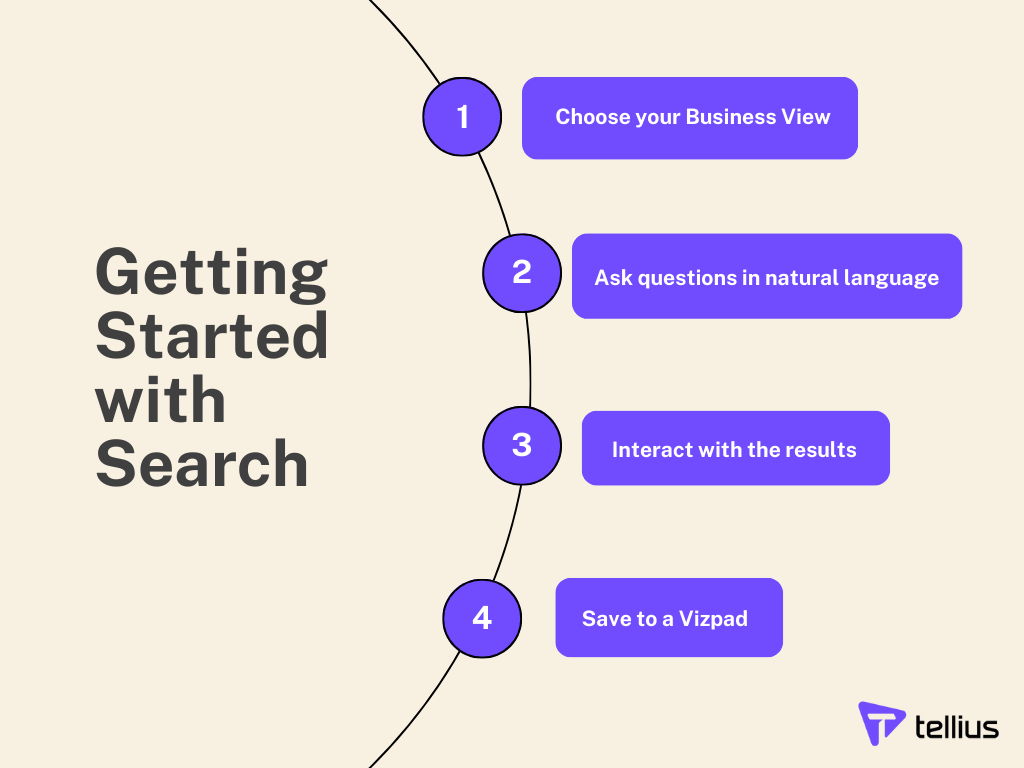
### Getting Started with Search
How to get started with Search
---
# Agent Instructions
This documentation is published with GitBook. GitBook is the documentation platform designed so that both humans and AI agents can read, navigate, and reason over technical content effectively. Learn more at gitbook.com.
## Querying This Documentation
If you need additional information that is not directly available in this page, you can query the documentation dynamically by asking a question.
Perform an HTTP GET request on the current page URL with the `ask` query parameter, and the optional `goal` query parameter:
```
GET https://help.tellius.com/tellius-5.4/getting-started/quick-start-guides/search.md?ask=&goal=
```
`ask` is the immediate question: it should be specific, self-contained, and written in natural language.
`goal` is optional and describes the broader end goal you are ultimately trying to accomplish on behalf of the user. GitBook uses it to tailor the answer towards what is most useful for that goal.
The response will contain a direct answer to the question and relevant excerpts and sources from the documentation.
Use this mechanism when the answer is not explicitly present in the current page, you need clarification or additional context, or you want to retrieve related documentation sections.