> For the complete documentation index, see [llms.txt](https://help.tellius.com/llms.txt). Markdown versions of documentation pages are available by appending `.md` to page URLs; this page is available as [Markdown](https://help.tellius.com/tellius-6.2/data/managing-your-datasets/swapping-datasources.md).
# Swapping datasources
Swap datasources seamlessly during migrations or vendor changes, keeping dashboards, datasets, and workflows intact with minimal disruption.
During data platform migrations or upgrades, being able to swap datasources can significantly reduce downtime and the complexity of transitioning between old and new systems. Users can continue using existing reports and dashboards by simply pointing them to the new data source. The following are some common use cases:
**1. Partial dataset migration**
Migrating datasets to new sources can be a daunting task, especially when dealing with large volumes of data or the need to keep the system operational during the transition. Swapping datasources facilitates partial migrations by allowing specific datasets to be moved and integrated into new environments gradually, reducing downtime and ensuring continuity of operations.
**2. Changing vendors**
Switching data storage or processing vendors is another scenario where datasource swapping proves invaluable. Organizations may decide to change vendors for various reasons, including cost reduction, improved performance, or enhanced features. The capability to swap datasources allows for seamless transition, vendor comparison and testing.
**3. Shifting to different instances**
The development-to-production lifecycle is a critical process in software and systems development, involving different data environments. The ability to swap datasources eases this transition by ensuring data integrity.
### **How to swap a data source?**
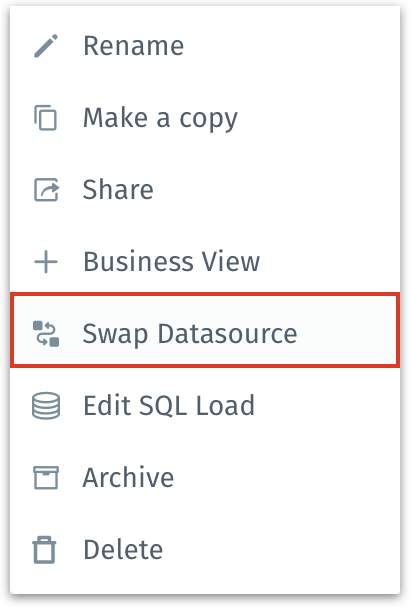
1. To swap any dataset loaded in Tellius, go to **Data** → **Dataset**.
2. Click on the three-dot kebab menu and choose **Swap Datasource**.
Data → Dataset → Swap Datasource
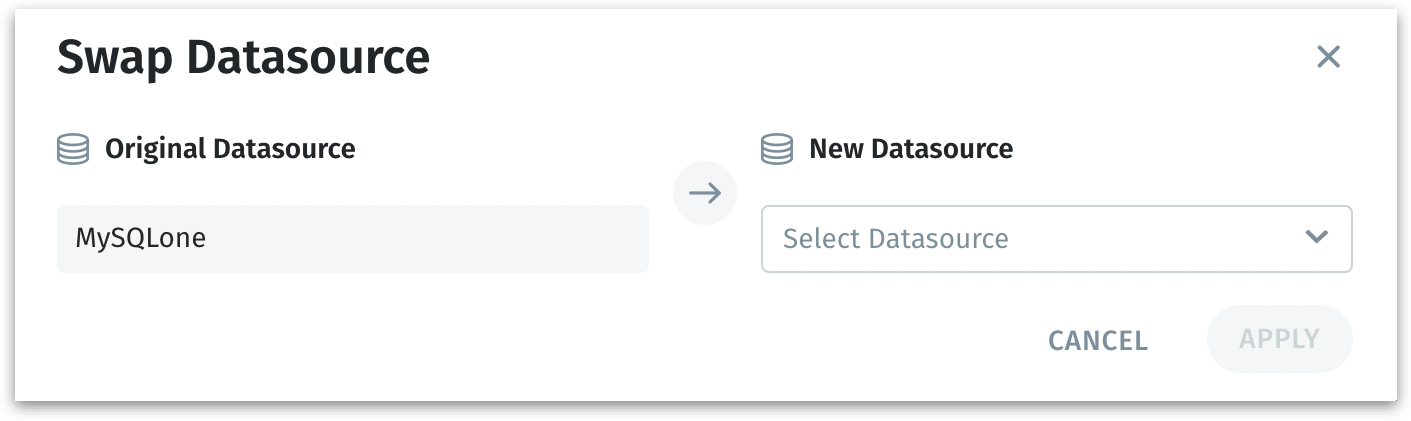
3. The following window will be displayed. The applicable data sources will be listed under **New Datasource** dropdown. Select or search for the required datasource.
Swapping a datasource
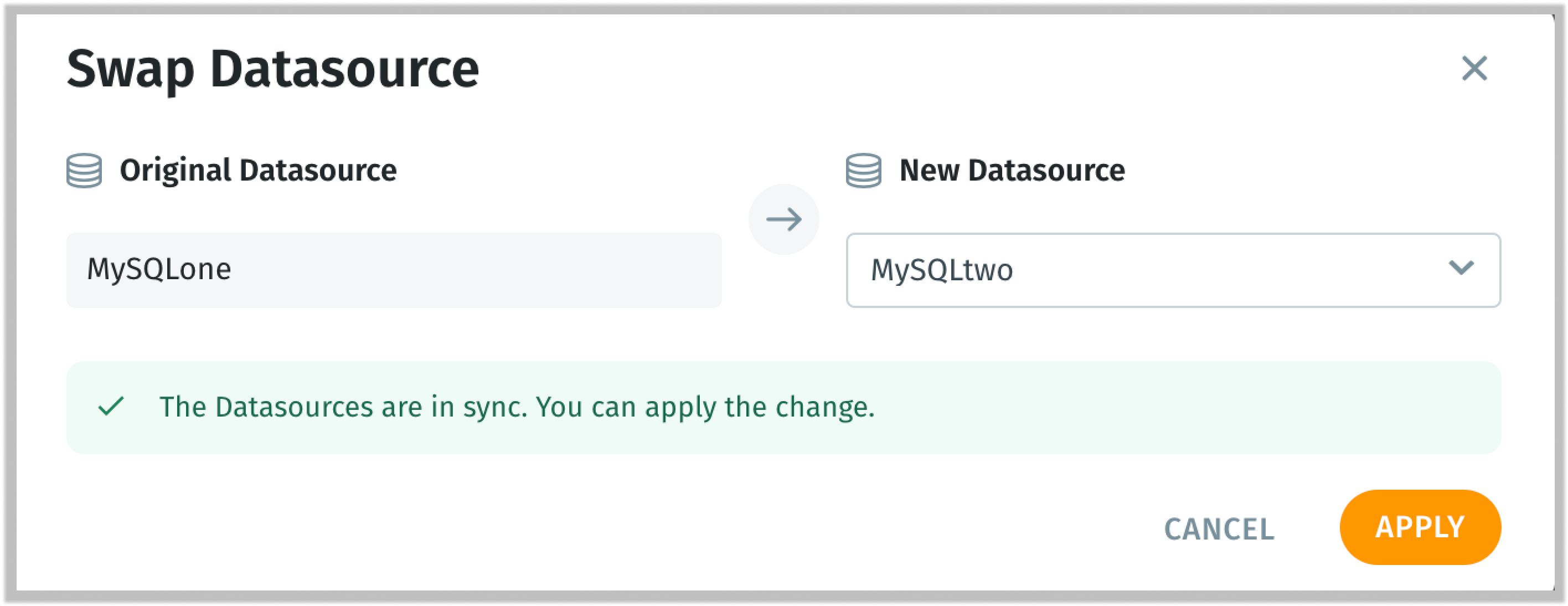
4. Tellius validates the new datasource selected and verifies if they are compatible with each other. If the two datasources are synchronized and ready to be swapped, the following message will be displayed.
Validating the selected datasources
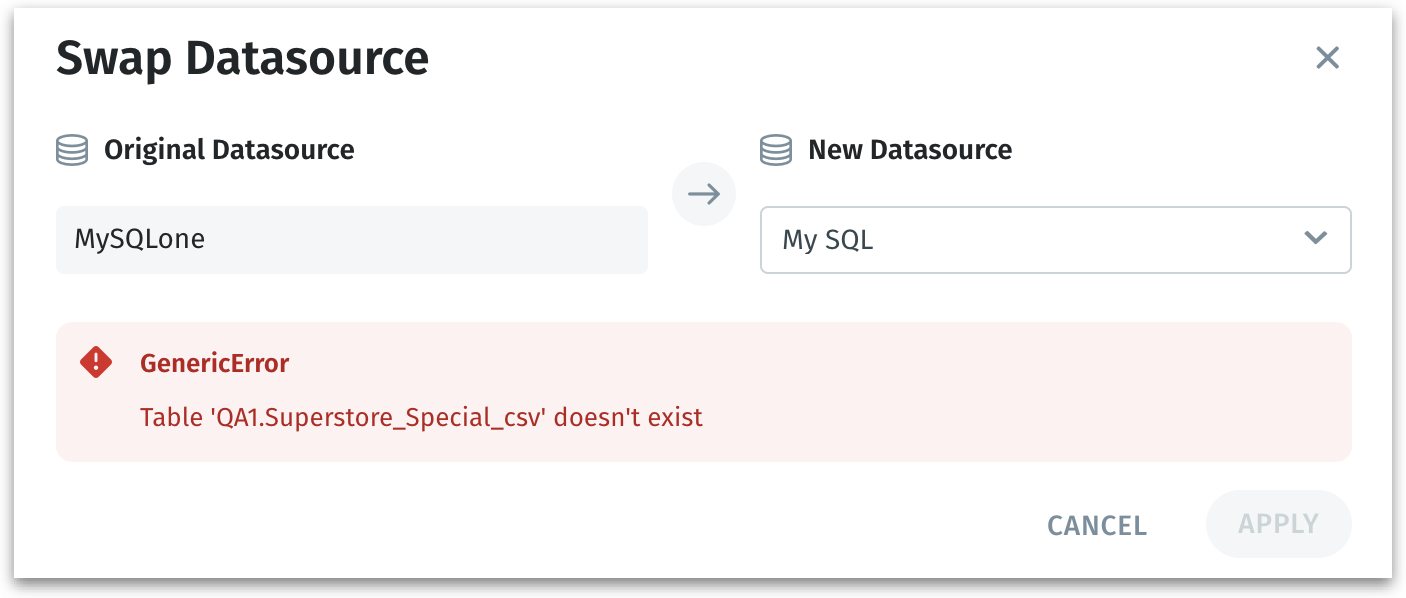
5. If the select datasource is not compatible with the original datasource, then the following message will be displayed.
When selected datasources are not in sync
6. Click on **"Apply"** to swap the datasource or click on **"Cancel"** to discard the process.
7. The following message will be displayed at the top.
Notifying about the swap
8. The swapping of datasources is an asynchronous operation, that takes place in the background immediately upon user confirmation. The same can be tracked under **Notifications** tab.
---
# Agent Instructions
This documentation is published with GitBook. GitBook is the documentation platform designed so that both humans and AI agents can read, navigate, and reason over technical content effectively. Learn more at gitbook.com.
## Querying This Documentation
If you need additional information that is not directly available in this page, you can query the documentation by asking a question.
Perform an HTTP GET request on the following URL with the `ask` and `goal` query parameters:
```
GET https://help.tellius.com/tellius-6.2/data/managing-your-datasets/swapping-datasources.md?ask=&goal=
```
`ask` is the immediate question: it should be specific, self-contained, and written in natural language.
`goal` is what the user is ultimately trying to achieve, the reason they need the answer. Sharing it helps GitBook give you a better, more relevant answer. A goal is most helpful when it describes the outcome the user wants rather than restating the question. For example, with `ask=how do I create an API token`, a goal like `automate deployments from our CI pipeline` lets GitBook tailor the answer to that use case.
The response will contain a direct answer to the question and relevant excerpts and sources from the documentation.
Use this mechanism when the answer is not explicitly present in the current page, you need clarification or additional context, or you want to retrieve related documentation sections.