> For the complete documentation index, see [llms.txt](https://help.tellius.com/llms.txt). Markdown versions of documentation pages are available by appending `.md` to page URLs; this page is available as [Markdown](https://help.tellius.com/tellius-6.3/assistant/introducing-tellius-assistant.md).
# Introducing Tellius Assistant
Explore how Tellius Assistant helps you ask questions in natural language, get guided insights, follow up easily, and view results in a clear interactive canvas
We are increasingly using personal assistants on our phones to accomplish various tasks through natural conversations. Similarly, you can get answers to your business-related questions via Tellius Assistant.
Using Tellius Assistant, you can communicate in natural language (similar to Google search) to get answers to complex questions. It guides you by building suitable queries for the next valid component.
* The questions can be in text form or voice form.
* Build up the conversation with follow-up questions and drill down to get the necessary insights.
* Tellius Assistant proactively suggests relevant questions and filters based on the selected Business View.
* All the multiple questions entered will be stored in the chat history.
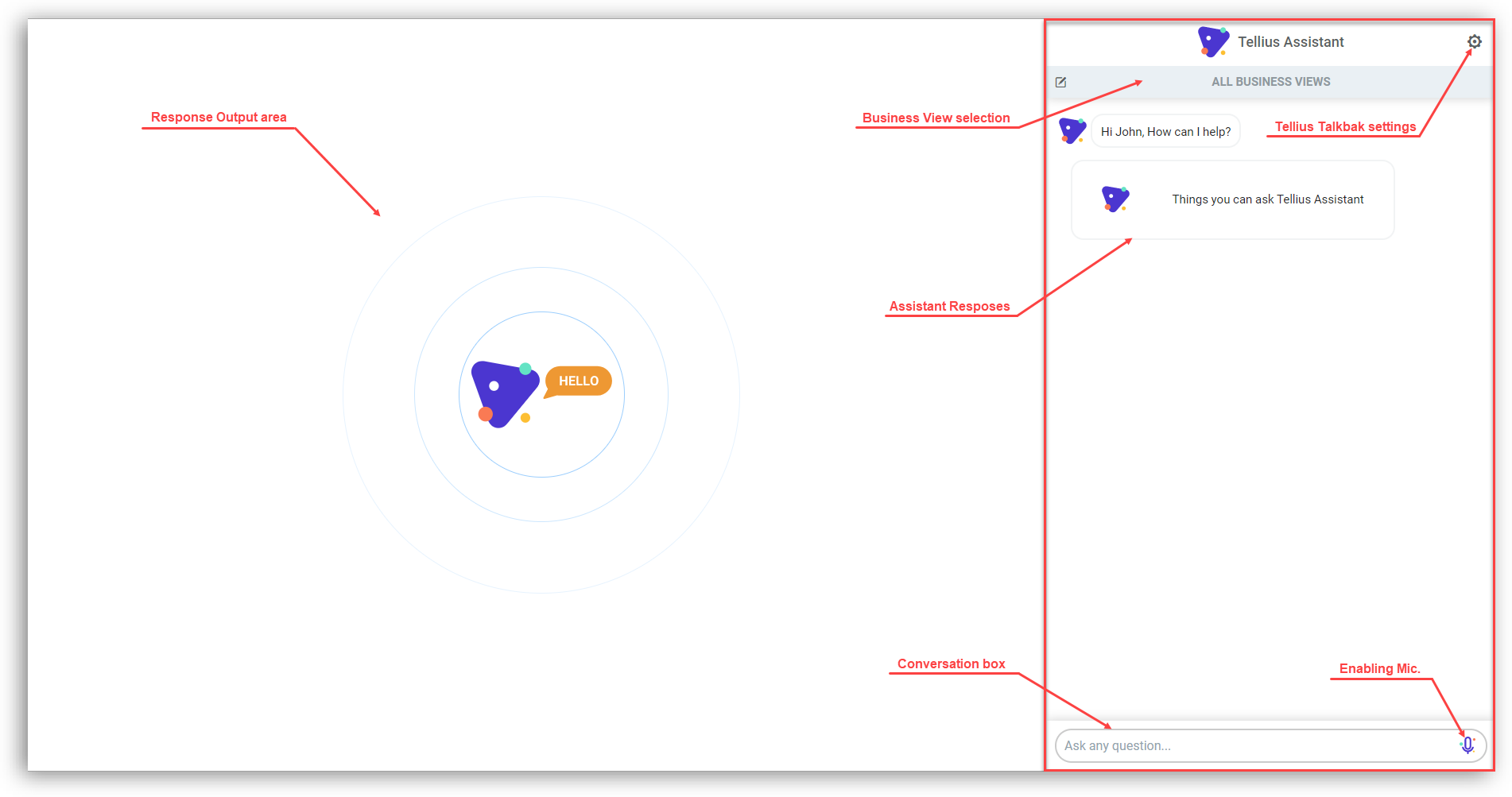
To interact with the Tellius Assistant,
1. Click on **Assistant** on the left pane.
2. The conversations happen in the right pane, and comprehensive results are displayed in the center canvas.
---
# Agent Instructions
This documentation is published with GitBook. GitBook is the documentation platform designed so that both humans and AI agents can read, navigate, and reason over technical content effectively. Learn more at gitbook.com.
## Querying This Documentation
If you need additional information that is not directly available in this page, you can query the documentation by asking a question.
Perform an HTTP GET request on the following URL with the `ask` and `goal` query parameters:
```
GET https://help.tellius.com/tellius-6.3/assistant/introducing-tellius-assistant.md?ask=&goal=
```
`ask` is the immediate question: it should be specific, self-contained, and written in natural language.
`goal` is what the user is ultimately trying to achieve, the reason they need the answer. Sharing it helps GitBook give you a better, more relevant answer. A goal is most helpful when it describes the outcome the user wants rather than restating the question. For example, with `ask=how do I create an API token`, a goal like `automate deployments from our CI pipeline` lets GitBook tailor the answer to that use case.
The response will contain a direct answer to the question and relevant excerpts and sources from the documentation.
Use this mechanism when the answer is not explicitly present in the current page, you need clarification or additional context, or you want to retrieve related documentation sections.