> For the complete documentation index, see [llms.txt](https://help.tellius.com/llms.txt). Markdown versions of documentation pages are available by appending `.md` to page URLs; this page is available as [Markdown](https://help.tellius.com/tellius-6.3/data/refreshing-a-datasource.md).
# Refreshing a datasource
Keep your data up-to-date with immediate, one-time, or recurring datasource refresh options in Tellius, ensuring accurate and timely analytics.
Refreshing your datasource ensures that the data Tellius uses for analysis is current and accurate. You can:
* **Refresh Immediately**: Update the data on the spot.
* **Schedule a One-Time Refresh**: Set a specific future date and time to run the refresh once.
* **Configure a Periodic Refresh**: Establish a recurring schedule (daily, weekly, monthly, etc.) to keep data continuously up-to-date.
By choosing the right refresh strategy, you maintain data freshness while optimizing performance and reducing manual work.
### Refreshing a data source
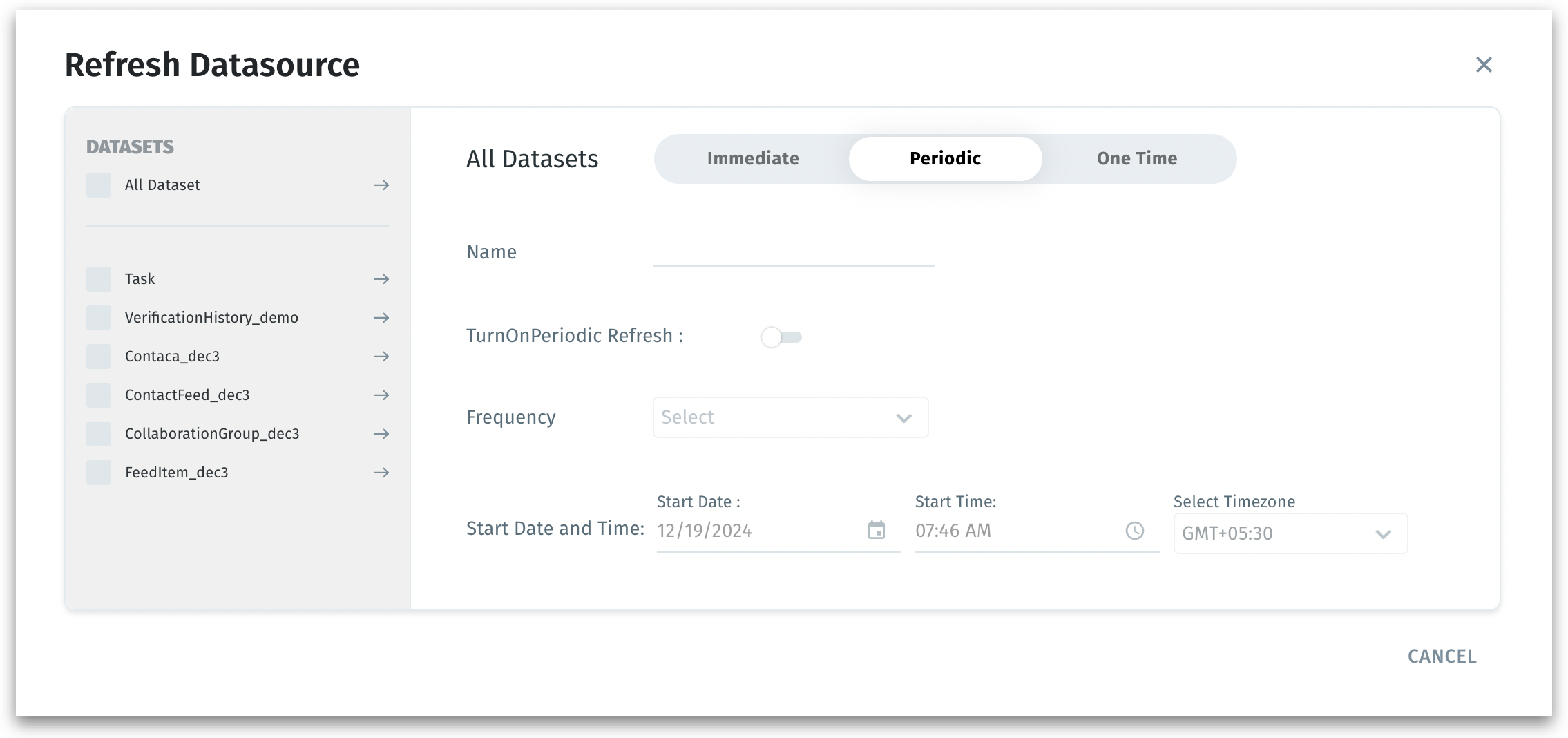
1. Go to **Data → Connect**, click on the three-dot kebab menu of the required datasource and select **Refresh**. The following window will be displayed:
Refreshing a data source
2. In the left pane, select **"All Datasets"** to refresh all datasets associated with the selected datasource. Else, select the individual datasets to refresh rather than the entire datasource.
3. Choose the refresh method from the three available tabs: Immediate, Periodic, One-time.
4. All the refreshes can be tracked in the **Notifications** tab.
#### Immediate Refresh
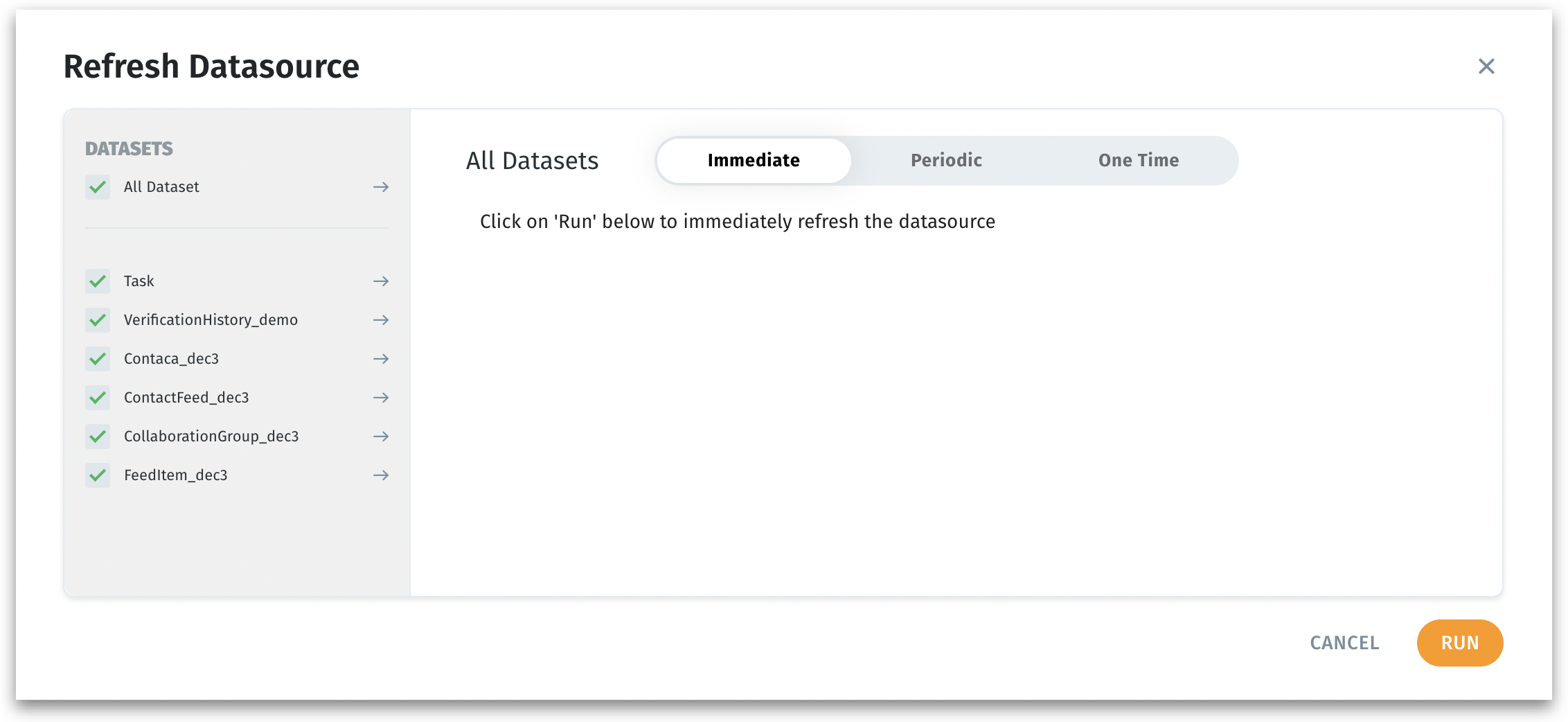
Immediate refresh
* Ideal if you have just updated the underlying data and need to see the changes reflected instantly for ad-hoc analyses or quick data validations.
* Click **Run** to start the refresh process immediately.
* Tellius fetches fresh data right away, ensuring you see the latest information in your insights and dashboards.
#### One-Time Refresh
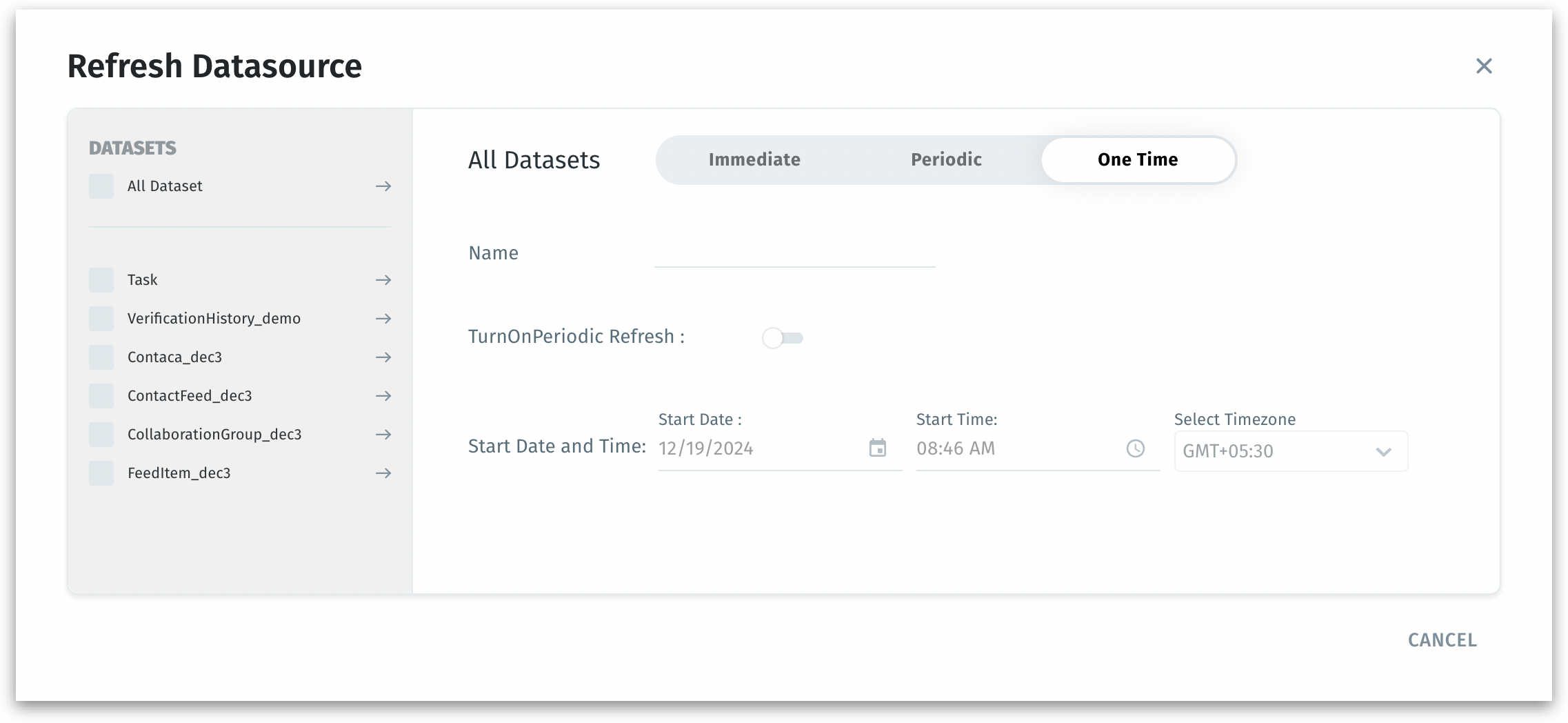
One-time refresh
* Useful if you want to ensure data is refreshed overnight or just before a big presentation, without setting up an ongoing schedule.
* Provide a **Name** for this one-time refresh task.
* Set the **Start Date, Start Time and Time Zone** to specify exactly when the refresh should occur.
* Click **Save** to schedule the refresh.
* Tellius will automatically refresh the dataset(s) at the specified time—just once. This can be tracked under **Notifications**.
#### Periodic Refresh (Recurring Schedule)
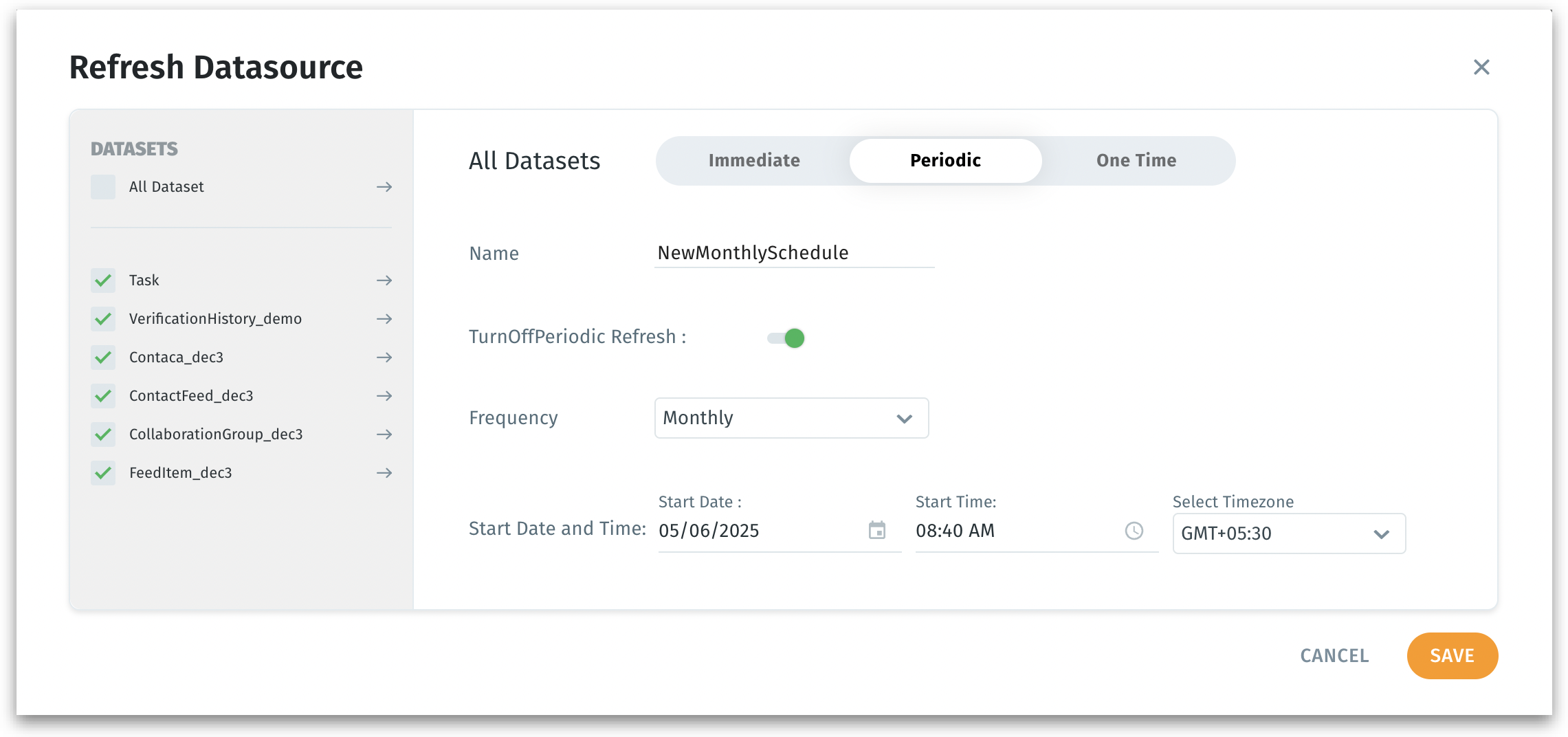
Periodic refresh
1. Ideal if you want daily or weekly refreshes to maintain continuously fresh data for ongoing analytics. Ensures data is always up-to-date without manual intervention.
2. Enable **TurnOnPeriodic Refresh** by toggling the switch.
3. Choose a **Frequency** (e.g., daily, weekly, monthly) from the dropdown.
4. Set the **Start Date**, **Start Time**, and **Time Zone** for the first occurrence. The dataset will refresh at this frequency starting from the given date and time.
5. Provide a **Name** for the refresh schedule.
6. Click **Save** to confirm.
7. Tellius sets up a recurring schedule. The datasource refreshes automatically at the chosen intervals, keeping your analysis current without manual triggers.
### Best Practices
* If you’re unsure of your latest data’s availability, run an immediate refresh first. This confirms that everything works before scheduling.
* If refreshes take longer than expected, consider adjusting the frequency or refreshing fewer datasets at once to optimize performance.
---
# Agent Instructions
This documentation is published with GitBook. GitBook is the documentation platform designed so that both humans and AI agents can read, navigate, and reason over technical content effectively. Learn more at gitbook.com.
## Querying This Documentation
If you need additional information that is not directly available in this page, you can query the documentation by asking a question.
Perform an HTTP GET request on the following URL with the `ask` and `goal` query parameters:
```
GET https://help.tellius.com/tellius-6.3/data/refreshing-a-datasource.md?ask=&goal=
```
`ask` is the immediate question: it should be specific, self-contained, and written in natural language.
`goal` is what the user is ultimately trying to achieve, the reason they need the answer. Sharing it helps GitBook give you a better, more relevant answer. A goal is most helpful when it describes the outcome the user wants rather than restating the question. For example, with `ask=how do I create an API token`, a goal like `automate deployments from our CI pipeline` lets GitBook tailor the answer to that use case.
The response will contain a direct answer to the question and relevant excerpts and sources from the documentation.
Use this mechanism when the answer is not explicitly present in the current page, you need clarification or additional context, or you want to retrieve related documentation sections.