
Patch 5.2.2
Discover Tellius 5.2 — enhanced Kaiya conversational AI, smarter insights, async validation, and customizable Vizpad labels for better analytics control.
The version Tellius 5.2.2 brings enhancements and critical fixes to improve usability and performance. In addition to alignment options for pivot table values and an info banner for websocket reconnections, multiple issues across Vizpads, Predict, and Scripting have been resolved. Let's dive in!
📈 Enhancements
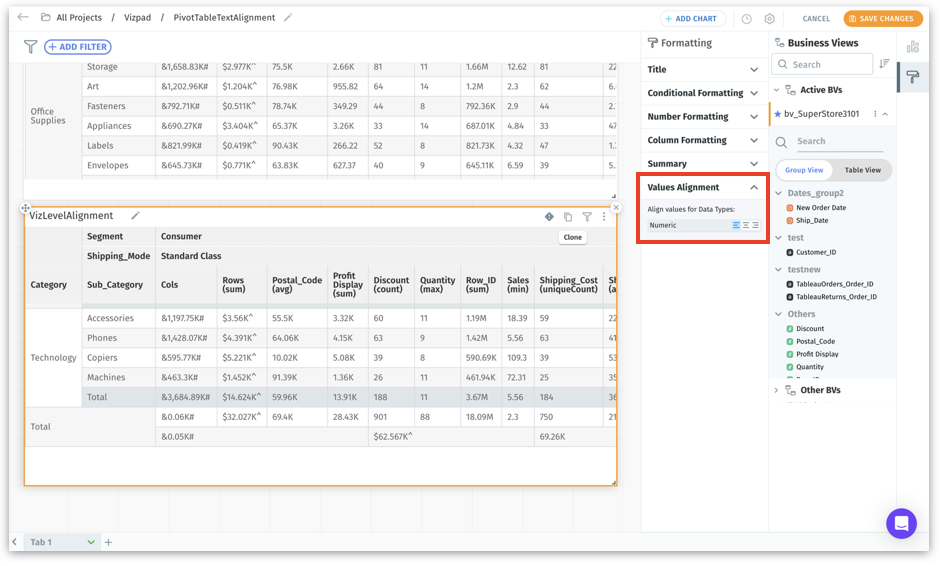
Under Explore (Vizpads), values in pivot tables can now be aligned, in addition to tables and detail tables. This provides you with the flexibility to choose between left, center, or right alignment for individual columns, allowing for better readability.
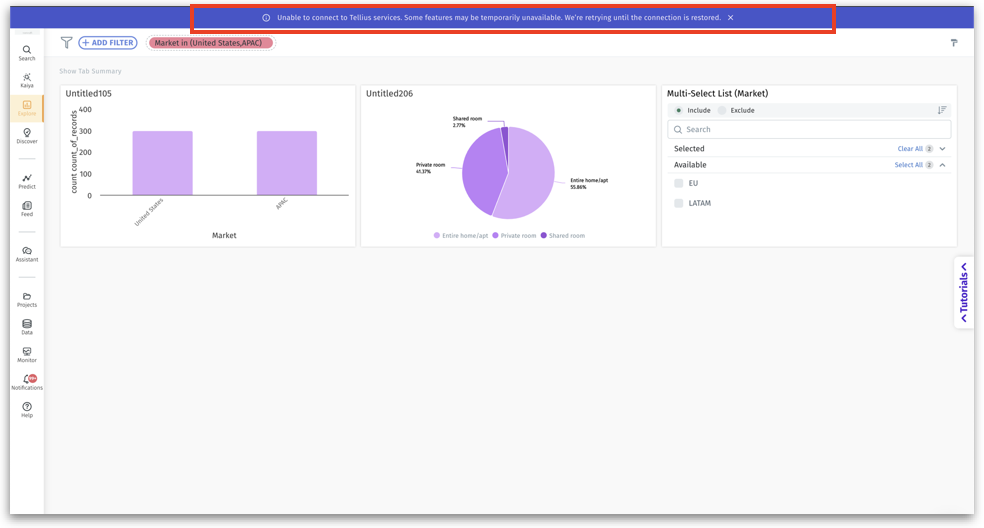
Implemented an info banner “Unable to connect to Tellius services. Some features may be temporarily unavailable. We're retrying until the connection is restored” to notify users of websocket reconnections.
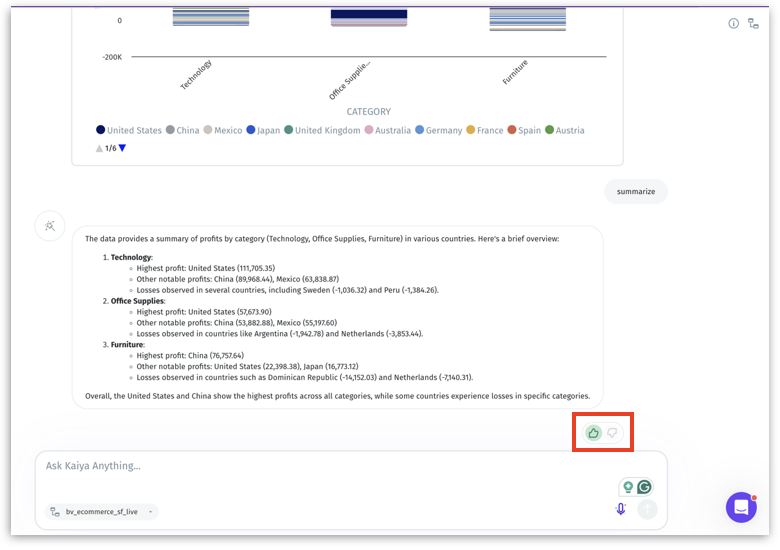
In Kaiya's conversational Search, introduced feedback options (thumbs up/down) for Kaiya's summary responses, allowing users to indicate satisfaction or highlight missed expectations.
🛠️ Minor fixes
5.2.2.1
In Vizpads, resolved the issue with the display of columns associated with the selected Business View.
Resolved vulnerabilities identified during PEN testing to ensure secure operations on Role-Level Permissions (RLP), including create, edit, and delete actions performed by non-admin users.
Under Predict, resolved the issue where the window overlapped when attempting to save an Auto-ML model.
Under Data → Prepare → Scripting, fixed an issue where dataset selection flows did not display search text, and selections were reset upon returning from the columns section.
Under Notifications → View Details for a refresh failure job, enhanced the message displayed in the Status Reason column.
Addressed the issue with creating Feed using percentage change as the Condition along with Drilldown dimensions.
In Vizpads, fixed the issue with the removal of deleted comments and their corresponding indicators (blue dots) from tables.
Fixed the issue with the display message when deleting a dataset.
Under Data → Prepare → Data, the datasource name will be now displayed for the selected dataset in the left pane.
In Vizpads, fixed the incorrect display of time taken for executing a query and loading the corresponding chart.
Under Data → Prepare → Data → Statistics for any column, fixed an issue where empty x-axis values were displayed in tooltips.
5.2.2.2
Enhanced the Content Security Policy (CSP) to address pen testing issues, ensuring a more secure and restrictive configuration.
In Vizpads, fixed the issue with not retaining the formatting done in text viz.
Under Data → Prepare → Data, fixed an issue where the selected transformation node in the data pipeline was not highlighted.
In Vizpads, resolved the issue with applying global filters for multi-Business View Vizpads.
In Vizpads, fixed an issue where dimension columns created using formula columns displayed measure filter operators instead of dimension filter operators.
Updated the Search Guide to hide entire sections if no questions are configured or available within a category.
In Vizpads, fixed an issue where calculated columns added to a column group were still displayed under the "Calculated Columns" section.
Under Data → Prepare → Scripting, fixed issues with incorrect dataset selection and validating changes before publishing when base tables are modified.
Under Data → Connect, fixed the UI issue when trying to connect with Salesforce connector.
In Vizpads, fixed an issue where the Donut Ring Thickness setting under Formatting → Chart Size was not applied or retained for donut charts.
In Vizpads, resolved the issue with displaying incorrect values in detail tables.
Under Notifications → Scheduled Jobs → View Details, fixed an issue where the "View" button was not functioning properly.
5.2.2.3
Optimized AutoML models of in-database sources to use disk caching for intermediate data, reducing memory usage and preventing out-of-memory issues during ML training.
Restricted access to edit Search Guide to Admin and Superuser roles only; it is no longer available for Power roles.
Under Data → Connect, Google Analytics (GA) connector has been deprecated and is no longer supported.
Enhanced Salesforce Connector performance to support parallel data reading, improving scalability and reducing memory usage.
5.2.2.4
Fixed an issue where unsigned embedded URLs did not display related data for logged-in users.
Resolved an issue where maintenance mode was triggered automatically by certain API calls instead of being activated manually.
Fixed an issue where users were logged out when attempting to access restricted resources.
Under Settings → Application Settings → Anomalies, resolved an issue where enabling the Vizpad anomalies toggle did not reflect in the actual Vizpads.
5.2.2.5
In Vizpads, fixed the issue where table viz threw an "invalid parameter" error when encountering empty string data.
Resolved a problem where AI-generated summaries in Insights were not generating as expected.
In the Business View panel of Search, fixed the issue where the Calculated Columns section appeared despite having no calculated columns to display.
Under Data → Business View → Data, the issue with hidden columns reappearing after creating a column group has been resolved.
In Vizpads, fixed the issue where the global filter values applied are not reflecting in the single select viz filter.
Under Data → Prepare → Data, addressed an issue where columns added using SQL or Python were not displayed correctly in the table view after publication.
In Kaiya conversational Search, fixed an issue where chart creation failed when applying Top/Bottom filters with Display Names.
Updated logic to prioritize Display Names over original column names in all interactions with Kaiya.
Resolved an issue where Kaiya filters failed when column names in the Business View were different from the dataset column names.
Addressed a failure where Kaiya was unable to connect to Postgres after a database restart.
In Vizpads, addressed the issue where an image viz was not saved.
In Feed, fixed an issue where the Y-axis displayed incorrect values for column-level charts.
Fixed an issue where the Fast Query Engine status, enabled in Settings → Application Settings → Data, was not reflecting correctly when creating a Business View.
Resolved an issue where users were unable to delete a conversation in Kaiya.
In Kaiya conversational Search, updated the Business View selection error message to appear directly next to the BV selection dropdown.
Was this helpful?