
Release 4.0
Explore Tellius 4.0: Multi-Business View Vizpads, redesigned date picker, Spark integration, OAuth for Snowflake, and enhanced onboarding tutorials.
We are thrilled to announce our newest release, 4.0. In this release, we've introduced a completely redesigned Vizpad experience that now supports multi-Business view charts. Additionally, onboarding guides will help new users get familiar with the platform. Release 4.0 has many new features across Search, Vizpads and Data modules. Read more below!
🚀 New Features
Vizpads powered by multiple Business Views
Vizpads can now be created using multiple Business Views, which allows you to visualize data across disparate sources on a single pane of glass. Multi Business View Vizpads enable you to:
Analyze data across tables that are not joined together
Interact with common data across disparate sources by applying filters on similar columns without joining them.
Build use case-oriented Projects from multiple Business Views.
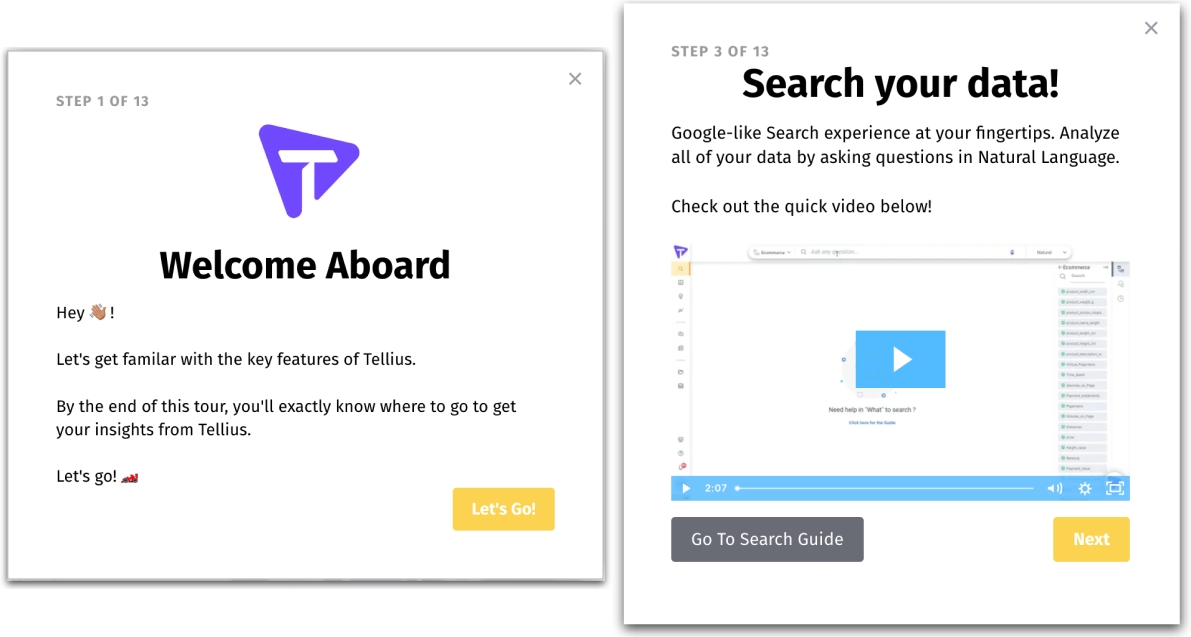
Simplified user onboarding with in-app tutorials
Guided walkthroughs are now available to seamlessly onboard new users to Tellius. To get you familiar with the platform, Tellius has included user guides for all the modules under Tutorials on the right slide-out pane and under the Help tab. The onboarding experience can be revisited at any time as required.
Disambiguating similar search keywords
In order to promote transparency and visibility, Tellius now informs you of similar matches found for user-entered search questions. If a search keyword is found in multiple columns, Tellius notifies the auto-picked column and lets you update the match to the required column/column value.
Overriding the primary date column in search queries
Instead of auto-picking the primary date column for time-based analysis, Tellius now offers the flexibility to override the primary date column with an alternate date column specified by the user. A note will be displayed informing the auto-selection with an option to update to the required date column.
Additional date operators in Search
Tellius introduces two additional keywords — SINCE and FROM — to be used for date-time/based search queries. The addition of these keywords has simplified the Search experience and made it more natural to use.
Introducing default user group
Tellius enables the admins and power users to designate a particular user group as default, represented by ⭐. The newly created user accounts can be automatically added to the default user group. This feature unlocks the potential of sharing content with newly added users, thereby addressing the empty slate conundrum.
Quickstart Projects on the home page
Tellius's home page includes a Projects collection view to enable quick discovery of content and seamless navigation for returning users. Similar use-case-related content can be grouped together in a Project and shared with other users for collaboration.
Native integration with Spark
Tellius now natively integrates with the Spark SQL database. This integration facilitates users to seamlessly connect and perform data analysis on Spark with zero data movement.
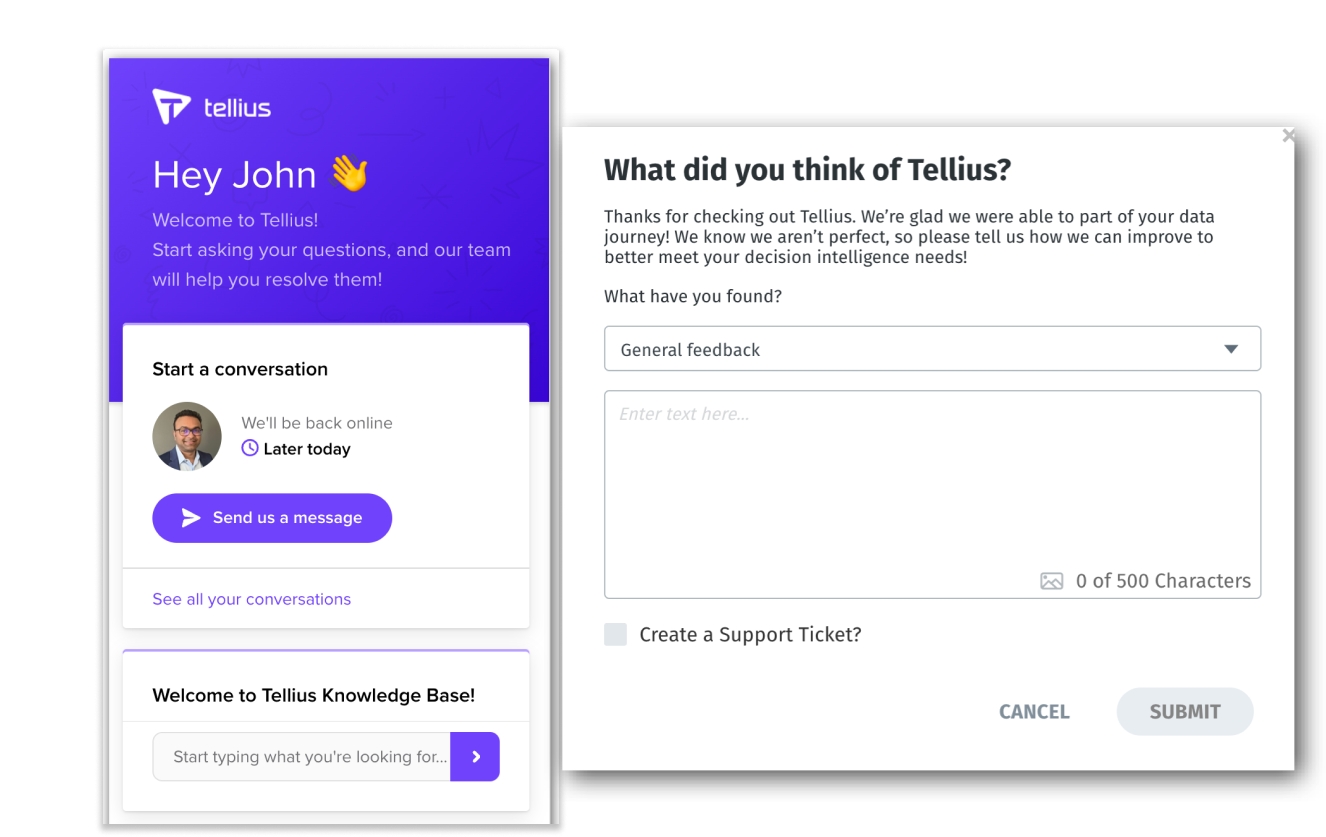
In-app chat, feedback, and support
Based on our customers' requests, we’re reintroducing real-time assistance via Chat, where you can once again reach out directly to our product and solution teams to get your questions resolved. Additionally, we’ve introduced a feedback module within Tellius where you can request features, provide quick feedback, suggest improvements, report issues, and create support tickets if needed.
Formatting calculated columns
Custom number formatting is now available for calculated columns created at the Business View level. The formatting options, which are identical to the ones available for regular columns, can be found under Actions from the Business View.
Improved combo chart
This comes as one of the most sought-after features from our customers. Now, you can add more than two measures for both bar and line fields on a combo chart. Additionally, you can configure the assignment of bar/line to an individual measure.
New date picker and time slices
The date picker and time slices interface has been thoroughly redesigned to make it simple, intuitive, and easy to use. Users can select from pre-defined time periods, custom date ranges, or custom time slices.
For trend-based insights, comparative date/time ranges can be set up in a couple of clicks.
Additionally, users can now view metadata such as available date ranges, the last refresh date for a Business View/dataset, and the current (relative) date configured in the system settings.
OAuth support for Snowflake
Tellius now supports OAuth-based authentication for Snowflake instead of service account-based access that stores the user name and password of every user. Using the OAuth 2.0 protocol, Tellius users can gain authorized access to Snowflake datasets without the need to share or store user login credentials.
Snowflake plans to stop supporting commercial service accounts and hence we will default to OAuth-based authentication for future releases.
📈 Enhancements
Improved delete operation and notification
Since deletion is a destructive and cascading operation that can create an unintended loss of content, Tellius precautionarily displays each data source, dataset, Business View, Vizpad, Insight, and Model associated with a user before deleting them. It also gives an opportunity to reassign the content to a different user. The following window appears when you’re trying to delete a data source, dataset, user account, Business View, or Project.
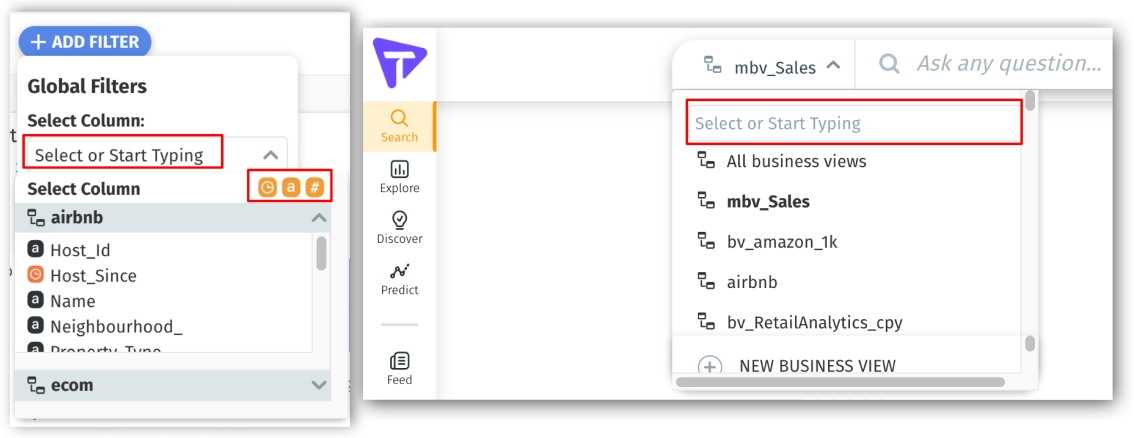
Enhanced filter and search user experience
Selecting columns/column values/Business Views/Projects from dropdowns have been enhanced with the addition of a search interface. Additionally, you can choose to show/hide columns based on their type (measures, dimensions, and date/time dimensions) in a dropdown.
Audit logs and trails
Tellius has made it easier to export audit logs in JSON format for external consumption. Tellius tracks and records the comprehensive details of each operation performed on the platform such as the user info, timestamp and status of the action performed.
Validation for usernames
Now, when you create new user accounts from Settings → Users & Groups → Users → + (Create user) or update the existing user account, Tellius has included validation to not allow any asterisks or spaces in the first name, last name, username, and email fields. A similar validation is already being followed when you try to edit the first name and last name of a user from Settings → My Profile.
For SSO-based users, the validation would be automatically applied and any asterisks/spaces would be removed before proceeding.
Deactivating Detailed View
The users with whom a Vizpad chart has been shared using “Read Only” mode will be able to view the Detailed View of the chart that displays the columns of the underlying Business View. If the Business View consists of sensitive data, then one can opt to disable the Detailed View.
To enable/disable the Detailed View from your instance, please contact your Customer Success Manager.
🛠️ Minor Fixes
View/Export of raw data for 'Read-only' users can be blocked via system setting.
Display Names have been fixed across the platform.
The error messages on Vizpad have been improved.
The show/hide functionality of grid lines and axis labels has been improved.
Was this helpful?