> For the complete documentation index, see [llms.txt](https://help.tellius.com/llms.txt). Markdown versions of documentation pages are available by appending `.md` to page URLs; this page is available as [Markdown](https://help.tellius.com/kaiya/kaiya-web-search.md).
# Kaiya Web Search
Kaiya can augment its analytical responses with information retrieved from the web when a question depends on external, time-sensitive context.
{% hint style="warning" %}
This capability is designed to ground and parameterize your analytics; not to act as a general-purpose internet search assistant.
{% endhint %}
### **How web search works**
When Kaiya detects that your question requires fresh or external context to answer accurately, it automatically triggers a web search to fetch important "anchor" details. These anchors include information such as
* Event date ranges (for example, when a specific hurricane made landfall)
* Policy effective dates (for example, when a regulatory change went into effect)
* Geography or scope details (for example, which states were affected by a policy)
* Timing windows (for example, the exact dates of a holiday week or promotional period).
Kaiya then uses these anchors to run the correct structured analysis against your internal data. For example, it might use the anchored dates to set the right pre/post comparison windows, filter results to the impacted regions, or align your analysis to a policy start date.
### **What it means for you**
You can ask questions the way you naturally would, without needing to look up dates or manually apply filters. For example:
* If you ask *"Did Thanksgiving impact TRx for Product X?"*, Kaiya can look up the exact Thanksgiving dates and apply a properly anchored comparison window in your internal TRx analysis.
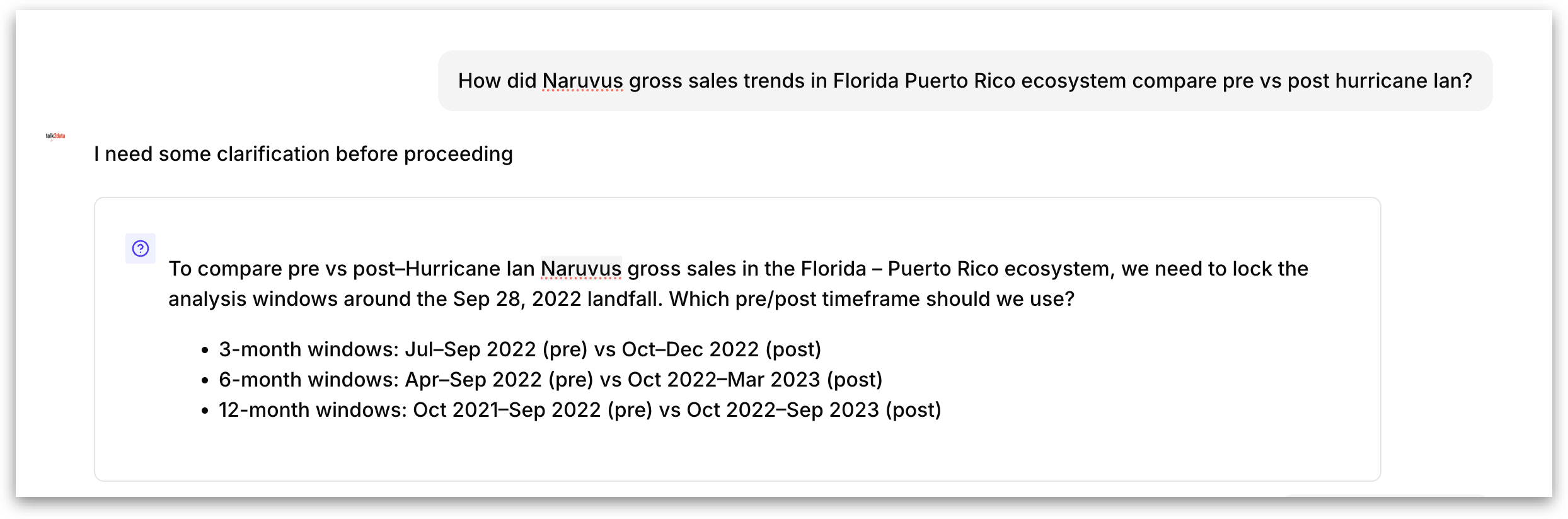
* If you ask *"What happened to sales after the hurricane?"*, Kaiya can find the hurricane's date range and affected regions, then filter and compare your sales data accordingly.
* If you ask *"Show me the trend since the policy change"*, Kaiya can look up when the policy took effect and use that as the starting point for the trend analysis.
### **How Kaiya remembers the web anchors**
When Kaiya retrieves anchor details from the web, it stores them with a freshness-based Time-To-Live (TTL) that determines how long the anchor remains valid within the conversation. The TTL is assigned based on how time-sensitive the information is:
* **High-freshness anchors** are data points that change rapidly, such as stock prices, exchange rates, or live event scores. These refresh quickly and have a short TTL because the information may become stale within hours or even minutes.
* **Medium-freshness anchors** are data points that change infrequently but are not permanent, such as policy effective dates, regulatory thresholds, or quarterly earnings dates. These persist longer within the conversation because the underlying information is unlikely to change during a single analytical session.
* **Low-freshness anchors** are historical facts that do not change, such as the date a hurricane made landfall, when a specific law was enacted, or when a company was acquired. These persist for the full duration of the conversation because the information is permanent.
This TTL-based approach ensures that follow-up questions within the same conversation thread use the same dates, scope, and context as the original question. You do not need to re-state or re-look up the anchor; Kaiya reuses it automatically until the TTL expires or the conversation ends.
{% hint style="warning" %}
Web search can be enabled by admins from the **Settings →** **Advanced →** **Kaiya**. It is only triggered when Kaiya determines that external context is needed; it does not fire on every question.
{% endhint %}
Web search anchors are one type of context that Kaiya retains during a conversation. But Kaiya's memory extends well beyond web search results. Check out [this](/kaiya/how-kaiya-remembers-your-context.md) page for the full scope of how Kaiya tracks and reuses context across your conversation.
---
# Agent Instructions
This documentation is published with GitBook. GitBook is the documentation platform designed so that both humans and AI agents can read, navigate, and reason over technical content effectively. Learn more at gitbook.com.
## Querying This Documentation
If you need additional information that is not directly available in this page, you can query the documentation by asking a question.
Perform an HTTP GET request on the following URL with the `ask` and `goal` query parameters:
```
GET https://help.tellius.com/kaiya/kaiya-web-search.md?ask=&goal=
```
`ask` is the immediate question: it should be specific, self-contained, and written in natural language.
`goal` is what the user is ultimately trying to achieve, the reason they need the answer. Sharing it helps GitBook give you a better, more relevant answer. A goal is most helpful when it describes the outcome the user wants rather than restating the question. For example, with `ask=how do I create an API token`, a goal like `automate deployments from our CI pipeline` lets GitBook tailor the answer to that use case.
The response will contain a direct answer to the question and relevant excerpts and sources from the documentation.
Use this mechanism when the answer is not explicitly present in the current page, you need clarification or additional context, or you want to retrieve related documentation sections.